When specifying a conference microphone system for hire, it is remarkably easy to start with a long list of features. Wireless operation. Touchscreens. Delegate names. Voting. Speaker queues. Participant identification. Meeting software. Reporting. Branding. Camera tracking. Interpretation channels.
When specifying a conference microphone system for hire, it is remarkably easy to start with a long list of features.
Wireless operation. Touchscreens. Delegate names. Voting. Speaker queues. Participant identification. Meeting software. Reporting. Branding. Camera tracking. Interpretation channels.
Modern conference systems can do an extraordinary amount.
But there is another question worth asking:
How many of those features does your meeting actually need?
For a permanent council chamber, parliament, boardroom or institutional meeting room, advanced meeting-management features can be extremely valuable. The organisation may use the same workflow every week, participants may already understand the system, and voting or participant identification may form part of established governance procedures.
Temporary event hire is different.
If a conference microphone system is being installed for a one-day meeting, two-day summit, board meeting or corporate conference, the priorities can be surprisingly simple:
Can everybody hear clearly? Can delegates operate it without explanation? Can it be installed quickly? Will it work reliably throughout the meeting?
Sometimes the best conference system is not the system with the longest feature list.
It is the one that disappears into the meeting.
What Do Clients Actually Look for in a Conference Microphone System?
When professional meeting organisers contact us about delegate microphone system rental, their priorities usually fall into a few recognisable categories.
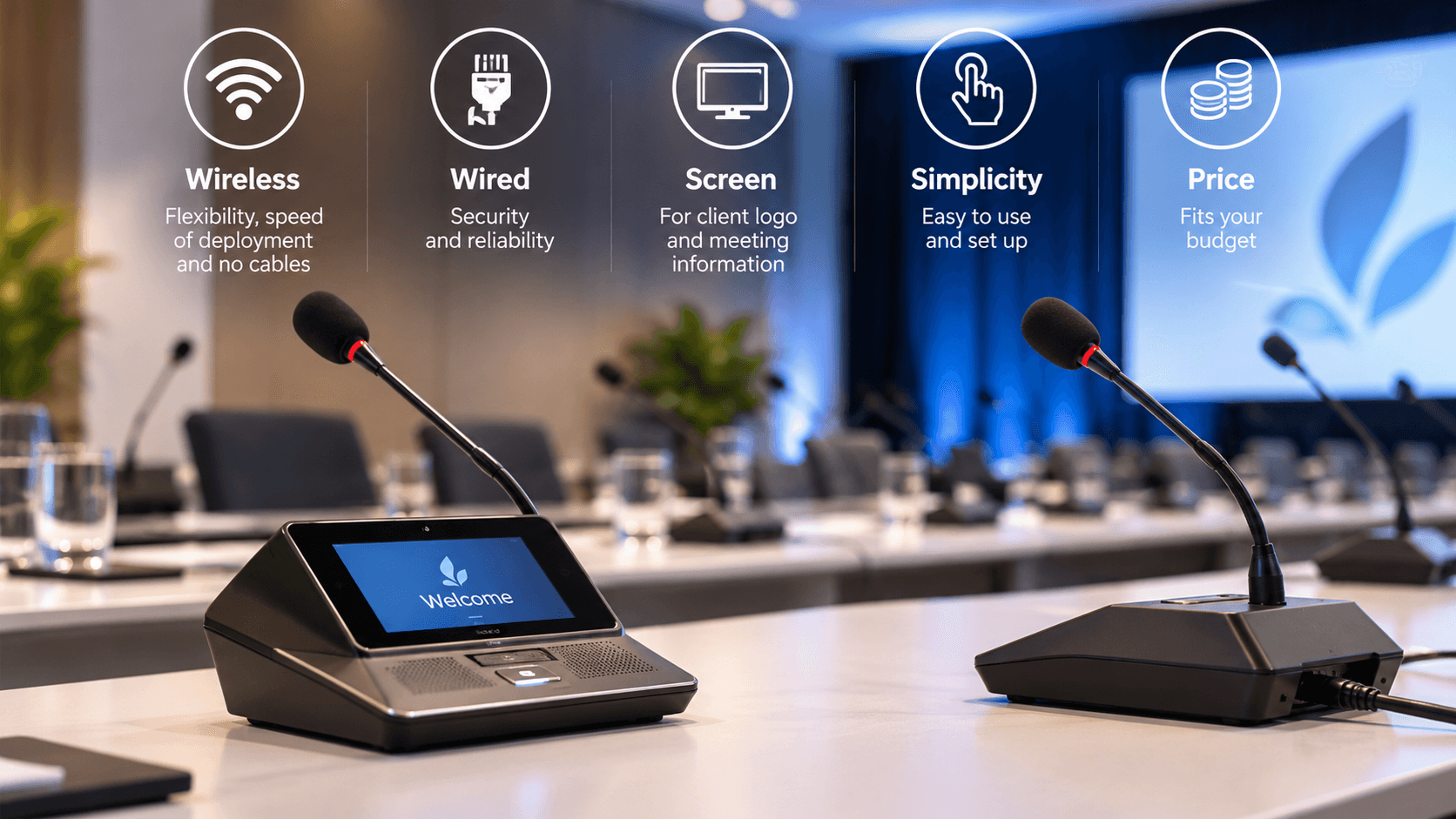
Some want wireless because the room layout may change.
Some specifically request wired equipment because reliability and security take priority.
Some want delegate units with displays because names, logos or meeting information need to be shown.
Others simply want a microphone with one obvious button:
Press to speak. Press again to stop.
And, inevitably, budget also matters.
That is why specifying a discussion system should begin with the meeting itself rather than with an equipment catalogue.
Wireless Conference Microphones: Flexibility Comes First
Wireless delegate microphone systems have become particularly attractive for temporary meetings because they solve one of the biggest challenges of event production: cabling.
Consider a large boardroom-style meeting for 40 people.
With a wired discussion system, cables need to reach every delegate position. Depending on the equipment, units may be daisy-chained across tables or connected through an underlying cabling infrastructure.
That is perfectly manageable in many rooms, but it takes time and needs careful cable management.
Now imagine that the client decides, shortly before the meeting, that the U-shaped seating arrangement should become a hollow square.
Or that another six chairs must be added.
Wireless systems make these changes considerably easier.
Units can be repositioned without redesigning the cabling infrastructure, making wireless delegate microphones particularly useful for hotels, conference venues, temporary boardrooms and multi-purpose event spaces.
For meeting organisers, this translates into three practical advantages:
faster deployment, cleaner tables and greater flexibility when the room changes.
Wireless does, however, introduce other considerations including battery management and the RF environment. A professional rental supplier should therefore handle charging, system configuration and wireless planning before delegates enter the room.
Wired Conference Microphones: Reliability Still Matters
If wireless is about flexibility, wired systems remain attractive where predictability, security and continuous operation are the main priorities.
There are no batteries to manage during a long meeting, and communication between units takes place through the system's physical infrastructure.
For high-security meetings, long-duration conferences and installations where the seating layout will remain fixed, this simplicity at infrastructure level can be extremely valuable.
There is another practical advantage.
When an event extends over several days and the discussion units remain in exactly the same positions, the deployment advantage of wireless becomes less significant.
Once a wired system has been correctly installed and tested, it can simply remain in place.
So the wireless-versus-wired question does not have a universal answer.
The right question is:
What are we trying to optimise: installation flexibility or fixed-system predictability?
Do You Need a Screen on Every Delegate Microphone?
Touchscreens and displays undoubtedly make modern conference systems look impressive.
They can also be genuinely useful.
A screen may show the participant's name, meeting agenda, language selection, voting options, speaker queue information or corporate branding.
For some meetings, those functions are essential.
For others, the display may spend the entire event showing nothing more than a company logo.
And that is perfectly acceptable—if displaying the logo is one of the client's objectives.
But a screen should not automatically be regarded as better merely because it exists.
If 60 delegates only need to press a button and speak, adding several layers of interface may solve a problem that the meeting never had.
This brings us to perhaps the most underrated feature of professional conference equipment:
Simplicity Is a Feature
Meeting organisers spend months preparing programmes, inviting delegates, arranging travel, coordinating speakers and managing venues.
The conference microphone system should not create another training programme.
For temporary event hire, equipment has a significant advantage when a delegate can sit down and understand it immediately.
A clearly illuminated microphone button is difficult to misunderstand.
A touchscreen containing multiple menus, authentication options, voting functions and meeting controls can be exceptionally powerful—but only when those functions are required.
This is one of the major differences between permanent conference system installations and short-term conference equipment rental.
A permanent user can learn a workflow.
A delegate attending a meeting for one afternoon should not have to.
The Learning Curve Matters More Than We Think
Imagine introducing a sophisticated delegate management platform for a two-day international meeting.
Technically, it may be excellent.
Participants can identify themselves. The chairman can manage requests to speak. Documents can be associated with agenda items. Electronic voting can be performed. Meeting data can be recorded and exported.
But somebody needs to configure it.
Somebody needs to understand it.
The chairperson needs to know what the controls do.
Delegates may need instructions.
And the AV team needs to know how the meeting is expected to operate.
For a recurring council meeting, that investment in training makes perfect sense.
For a one-off corporate meeting, it may not.
The question should therefore not be:
“What can the system do?”
It should be:
“Which of those functions will make this particular meeting better?”
That small change in thinking can dramatically simplify technical planning.
Governance Changes the Conversation
There is, however, one very important exception.
Sometimes an advanced function is not merely convenient.
It is part of the meeting's governance requirements.
Imagine an organisation whose meeting procedures require every speaker to be identified by name.
In that case, a screen displaying the currently recognised delegate may no longer be an aesthetic extra.
It can become part of the meeting workflow.
The same may apply to electronic voting, authenticated participants, speaker queues, attendance records or documented voting results.
At that point, the specification should not simply say:
“We need conference microphones.”
It should define what the meeting is required to do.
There is also an important continuity question.
If an organisation begins designing its governance around a particular technology, will the same functionality be available at the next venue?
And the venue after that?
A highly sophisticated feature may work beautifully at one event but create difficulties later if subsequent rental systems cannot reproduce exactly the same workflow.
This is one reason some organisations deliberately keep temporary meeting technology relatively simple.
Consistency can sometimes be more valuable than capability.
When Do Voting, Delegate Identification and Meeting Software Make Sense?
Advanced meeting-management functions become particularly useful when the meeting itself has a formal procedural structure.
A shareholders' meeting may require voting.
A council or committee may require identified speakers.
A large assembly may need a managed request-to-speak queue.
An international institutional meeting may require delegate identification together with simultaneous interpretation language selection.
A hybrid governance meeting may require both local and remote participants to follow the same controlled meeting process.
In those situations, voting, identification, participant databases and meeting software are not unnecessary bells and whistles.
They are the correct tools for the job.
The distinction is simple:
Do not remove advanced features when the meeting needs them—but do not introduce them merely because the equipment supports them.
And What About the Logo?
This may sound trivial, but it isn't.
Event organisers pay considerable attention to branding.
The stage is branded. The LED wall is branded. Presentation templates are branded. Registration desks, digital signage and printed materials all follow the corporate identity.
So why should 30 screens sitting directly in front of delegates display a manufacturer's default interface?
Conference units with programmable displays can provide a subtle but effective branding opportunity.
A corporate logo, event identity, participant name or welcome message can make the table layout look much more integrated with the overall event design.
Unlike voting or meeting management, this functionality requires very little from the delegate.
Nobody needs training to look at a logo.
That makes display customisation one of the advanced features that can work extremely well even in short-term rental environments.
Conference Microphones Are Part of a Larger System
Professional meeting organisers should also consider what happens beyond the microphones themselves.
Will the meeting be recorded?
Will remote participants join through Microsoft Teams, Zoom or another platform?
Will automatic cameras follow whoever is speaking?
Will simultaneous interpretation be provided?
Does the PA system need to reinforce delegate microphones throughout the room?
Will interpreters need the delegate discussion audio in their booths?
Will the event be streamed?
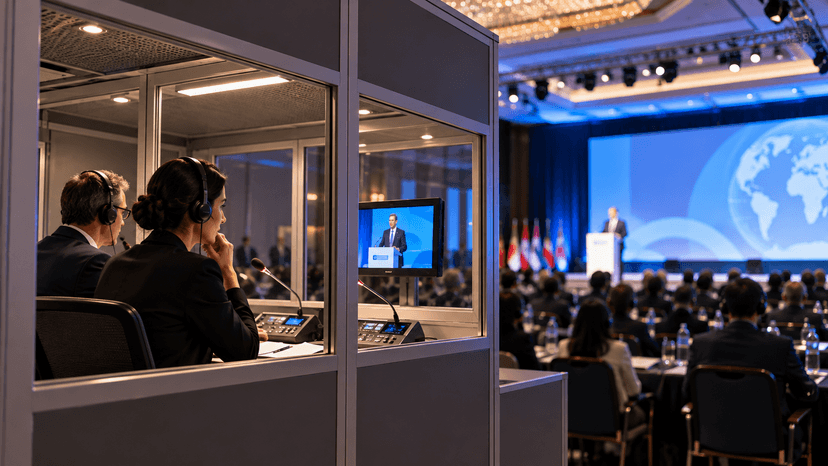
A conference microphone system should therefore be specified as part of the wider conference AV and simultaneous interpretation infrastructure, not as an isolated collection of microphones.
At Simultane.com.tr, this is particularly important because many of the meetings we support combine delegate microphone systems, Bosch simultaneous interpretation equipment, professional sound systems, wireless microphones, video systems and technical operation within the same event.
Integration often matters more than the number of features printed on the microphone's specification sheet.
Wireless or Wired? Screen or No Screen?
There is no universally “best” conference microphone system.
Requirement | A sensible starting point |
|---|---|
Frequently changing room layout | Wireless discussion system |
Fast deployment | Wireless discussion system |
Fixed seating and long sessions | Wired system |
Maximum infrastructure predictability | Wired system |
Corporate branding | Units with displays |
Delegate names on each position | Display-equipped / identified units |
Basic corporate discussion | Simple push-to-talk units |
Formal voting | Voting-enabled conference system |
Controlled speaker order | Managed discussion system |
Multilingual meeting | System integrated with simultaneous interpretation |
Tight budget | Prioritise audio, reliability and essential functions |
The most important word in that table is requirement.
Not capability.
How Should You Specify a Delegate Microphone System for Your Next Meeting?
Start with the meeting rather than the equipment.
How many delegates will there be?
Will seating change?
Is the room available long enough for a wired installation?
Does every person need their own microphone?
Does the chairperson need priority control?
Do delegate names need to appear?
Will there be formal voting?
Is simultaneous interpretation required?
Will remote participants join?
Does the organisation's governance require specific meeting records or participant identification?
Once those questions are answered, selecting the equipment becomes considerably easier.
You may discover that you need a sophisticated fully managed conference platform.
Or you may discover that what you really need is 40 excellent microphones and one obvious button.
Both are professional solutions.
Frequently Asked Questions About Conference Microphone Systems
What is a delegate microphone system?
A delegate microphone system is a conference audio system that provides individual or shared microphones for meeting participants. Systems typically allow delegates to activate their microphones while enabling a chairperson or technician to manage the discussion.
Are wireless conference microphones reliable?
Professional wireless conference systems are designed for demanding meeting environments and can provide highly reliable operation when properly configured. Battery management and the venue's wireless environment should be included in the technical planning.
Is a wired conference microphone system better than wireless?
Neither is automatically better. Wired systems are attractive for fixed layouts, continuous operation and predictable infrastructure, while wireless systems offer faster installation and much greater seating flexibility.
Can delegate names be displayed on the microphone units?
Yes. Certain conference systems include displays or touchscreens that can show participant names, corporate logos, agendas, speaker information, voting options and other meeting data.
Can conference microphone systems provide electronic voting?
Yes. Professional meeting systems can support electronic voting, participant identification and voting reports. Whether these functions are required should be determined by the meeting format and governance rules.
Can a conference microphone system work with simultaneous interpretation?
Yes. Professional discussion systems can be integrated with simultaneous interpretation infrastructure so interpreters receive the meeting audio and delegates can listen to interpreted languages through appropriate equipment.
Choose the Meeting System Around the Meeting
Technology should make a professional meeting easier to run—not give the organiser another problem to manage.
Wireless may be the right choice.
Wired may be better.
A touchscreen may significantly improve the meeting.
Or a single illuminated microphone button may be exactly what is required.
At Simultane.com.tr, we provide wired and wireless conference microphone system rental, delegate discussion systems and simultaneous interpretation equipment for meetings, conferences, congresses and corporate events throughout Türkiye.
Rather than starting with a particular product, we prefer to start with a simpler question:
How does your meeting need to work?
Because when that answer is clear, selecting the technology becomes much easier.
And now we would genuinely like to hear from meeting organisers:
When you specify a delegate microphone system for an event, what comes first for you—wireless flexibility, wired reliability, branding, simplicity, advanced meeting functions or budget?